Free to start · no card
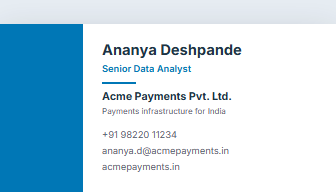
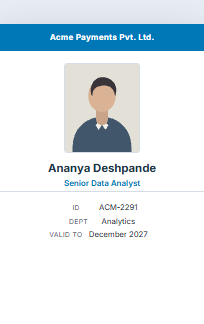
Visiting card and ID card maker
A visiting card you hand across a desk, or an ID card on a lanyard. Both download at exactly the size a printer cuts to, so nothing is scaled at the shop. Free to start, no card, no watermark.
-
Visiting card
The 3.5 × 2 inch card every printer in India cuts to, front and back.
88.9 × 50.8mm · 10 to an A4 sheet · front and back
Visiting card maker → -
ID card
Employee or student ID at CR80 — the same rectangle as a debit card, stood up.
54 × 85.6mm · 9 to an A4 sheet · front and back
ID card maker →
6 designs to choose from
Every one reads the same fields, so you can switch between them at any point without retyping anything. Each downloads at the exact size a printer cuts to.
-
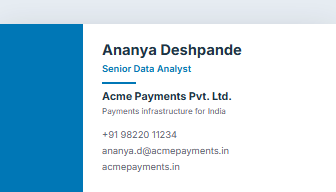
Modern Slab
Visiting card
-
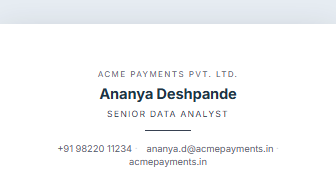
Minimal Rule
Visiting card
-
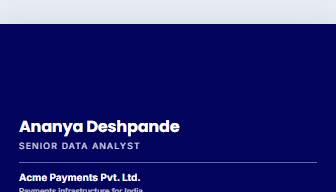 Pro
Pro
Bold Reverse
Visiting card
-
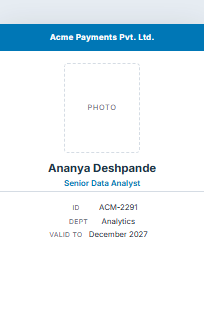
ID Classic
ID card
-
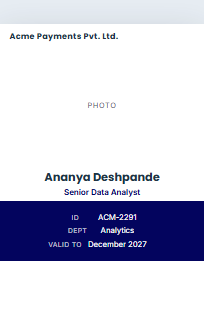
ID Modern
ID card
-
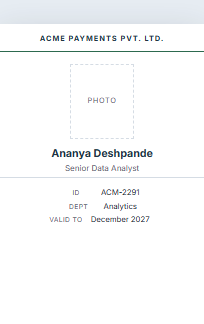 Pro
Pro
ID Minimal
ID card
Getting it printed
- 1 One card per page A PDF at exactly card size. Hand this to a commercial printer — it is what they expect, and it is the only layout that carries a back.
- 2 A4 sheet Several cards laid out on a page with dashed cut guides, for an office printer and a steady hand. Fronts only: a domestic printer cannot register a back.
- 3 Bleed and crop marks Three millimetres of design past the trim line and marks showing where the cut goes, so a slightly-off guillotine still leaves colour at the edge. Ask your printer whether they want it; it is part of Pro.
Cards and badges — questions people ask
Is the card maker free?
Free to start. The free plan keeps two saved documents and covers three PDF downloads a month, at full print quality and with no watermark. Pro removes both limits and adds bleed with crop marks for a commercial printer.
What size do the cards come out at?
A visiting card is the standard 3.5 × 2 inches and an ID card is CR80, the same size as a debit card. The PDF is that exact size, so the print shop does not scale anything and your text does not shift.
Can I print these at home or in the office?
Yes. Choose the A4 sheet option and you get several cards laid out on one page with dashed cut guides. Use thick paper if you have it. Fronts only on this layout — an office printer cannot line up a back accurately enough.
My printer is asking for bleed. What is that?
Three millimetres of your design carried past the line where the card is cut, so a slightly-off guillotine still leaves colour at the edge instead of a white sliver. The download offers it with crop marks showing where the cut goes; it is part of Pro.
Can I put something on the back?
Yes, on the single-card download — a second side for your address, a QR code, office hours or a tagline. Leave it empty and you get a single-sided card.
Can I make ID cards for my whole team?
One at a time, yes — duplicate a card and change the name and photo, which is quick for a small team. There is no bulk upload yet.
Can I use my company logo?
Yes. Upload it once and it sits on the card at print resolution. A PNG with a transparent background works best.
Can I add my portfolio link or a QR code?
Yes. If you have published a JobFolio portfolio page you can download its QR code and put it on the back of the card, which is a good deal more useful than printing a long web address.
The rest of JobFolio
One account, one resume, and everything else reads from it.
- Resume maker ATS-ready templates, live preview, PDF.
- ATS score checker See how much of your resume screening software can read. Free.
- Marriage biodata Shaadi format, four designs, A4 PDF.
- Public profile Your resume at a link you can send.
- Certificates & letters Experience, relieving, internship, awards.